01
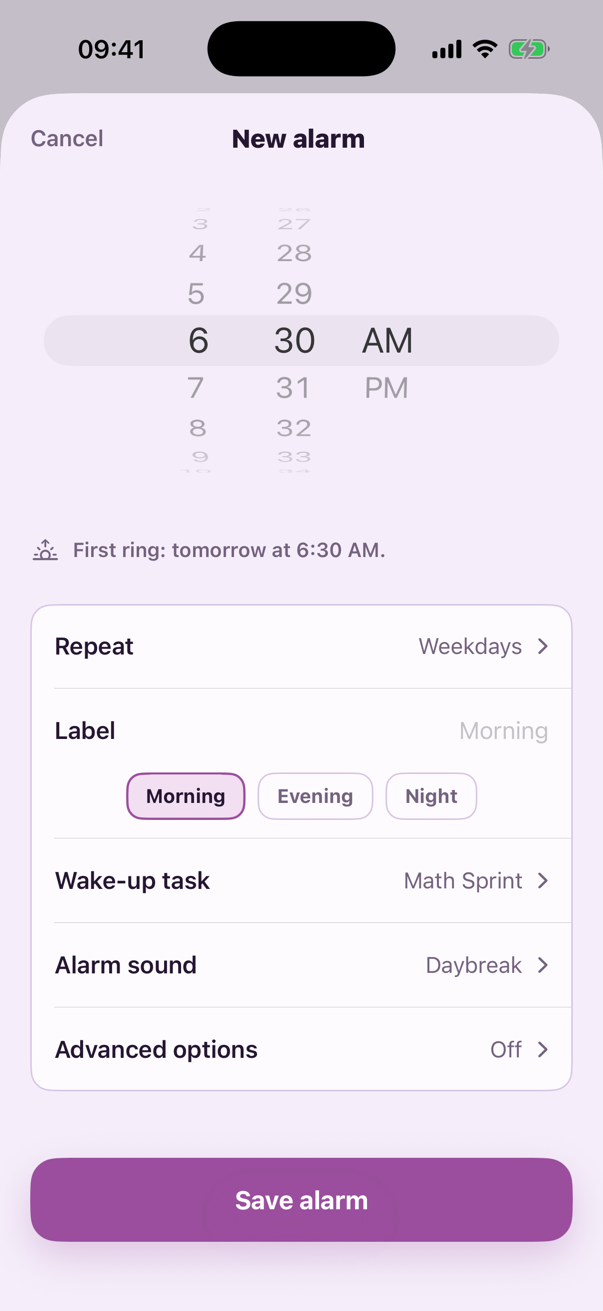
Choose one task tonight
Pair the alarm with the action most likely to wake your brain or move your body.
For people who turn off the alarm and fall back asleep
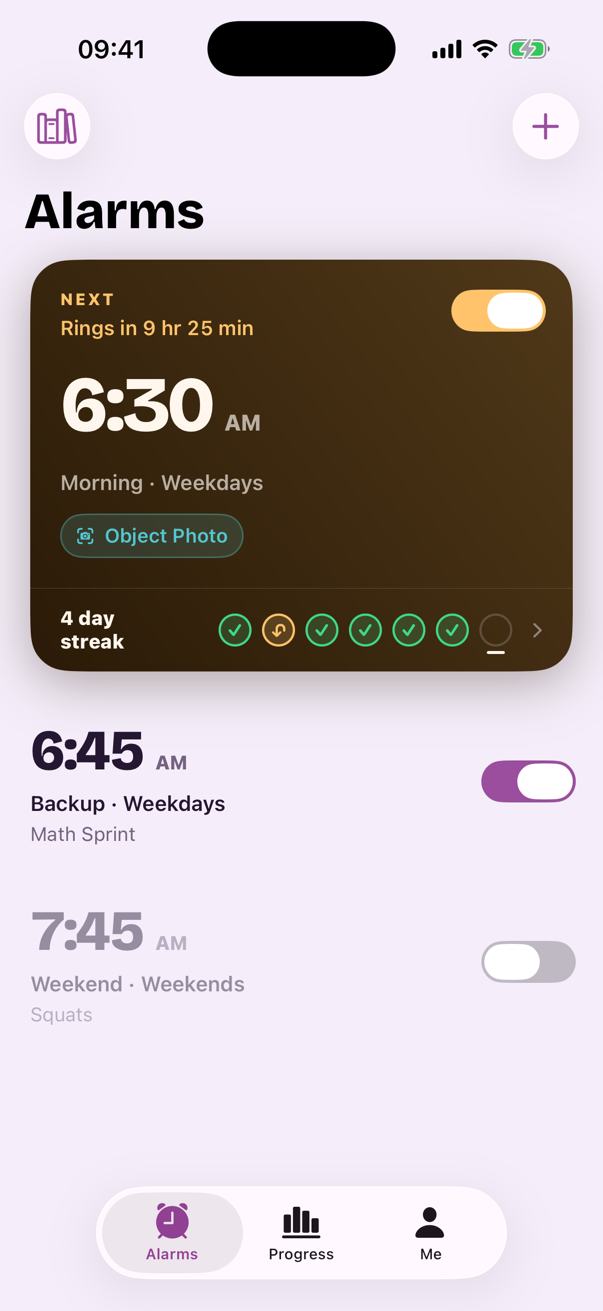
Albori makes you complete one verified wake-up task—then checks that you stayed up.
No snooze · On-device verification · iOS 26 or later
The real problem
A louder sound still gives a half-asleep brain the same easy exit. Albori replaces that exit with a small action you chose while fully awake.
How Albori gets you up
Pair the alarm with the action most likely to wake your brain or move your body.
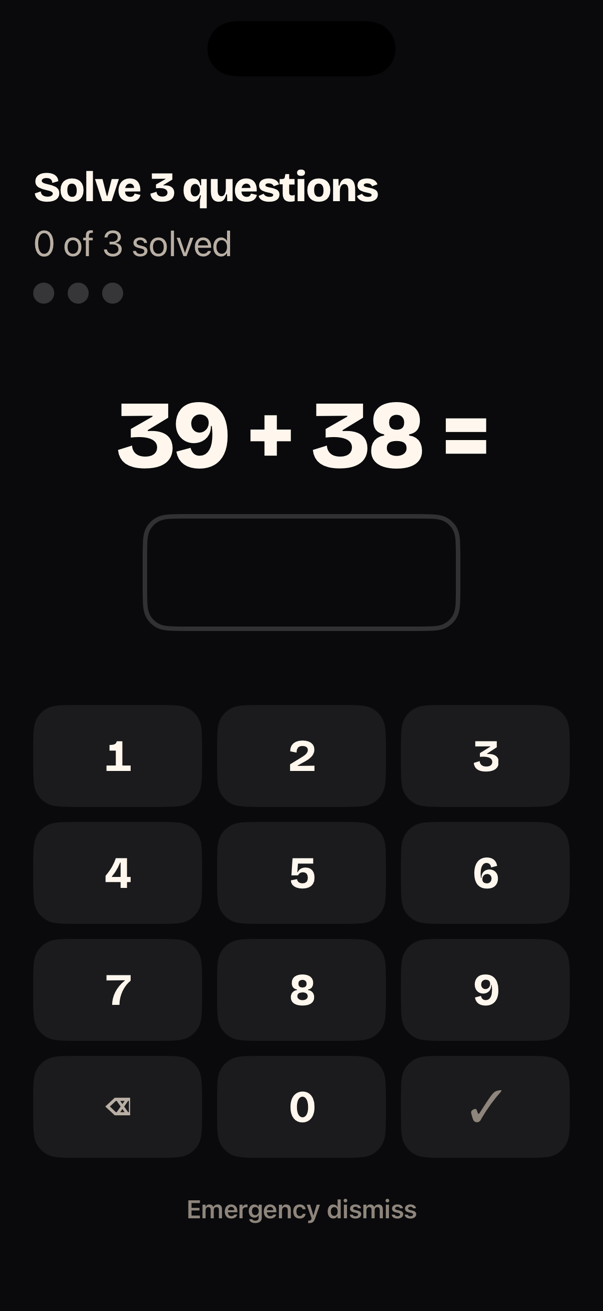
Wake Mode gives you one clear task. No snooze, tabs, settings, or back button.
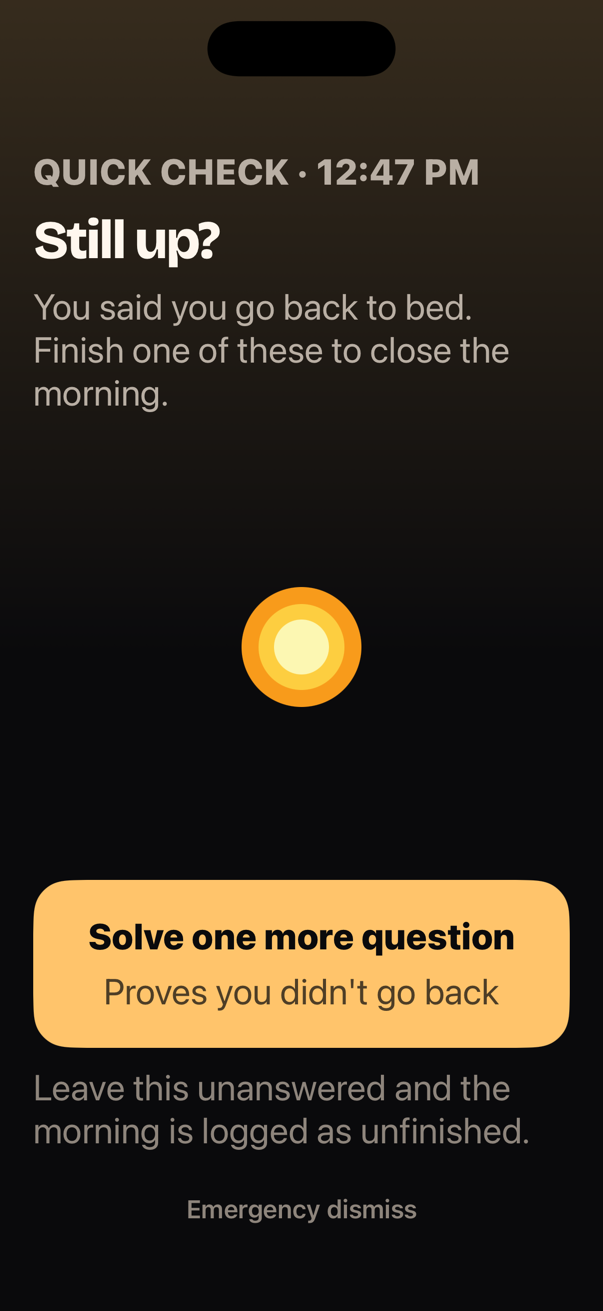
Add an optional wake check after the task. If you went back to bed, your morning is not quietly counted as complete.
Pick what gets you moving
Every task checks something real. If a camera task cannot run, Albori offers Math Sprint as a direct fallback so the alarm never traps you.
Find and photograph the everyday object Albori names.
Verified by live, on-device image recognition.
Complete ten full reps while your iPhone counts the motion.
Verified by on-device pose movement across frames.
Do eight focused reps and get your whole body involved.
Verified by on-device pose movement across frames.
Solve three arithmetic questions on a keypad built for sleepy eyes.
Verified by correct answers with adaptive difficulty.
Wake Mode
At 6:30, more options are not helpful. Wake Mode makes the next action obvious even when your brain is barely online.
Solve 3 questions · 1 of 3 solved
Emergency dismiss
The second half of waking up
Choose a quick check or a stronger camera task after the alarm. Albori does not declare victory at the exact moment you are most likely to crawl back under the covers.
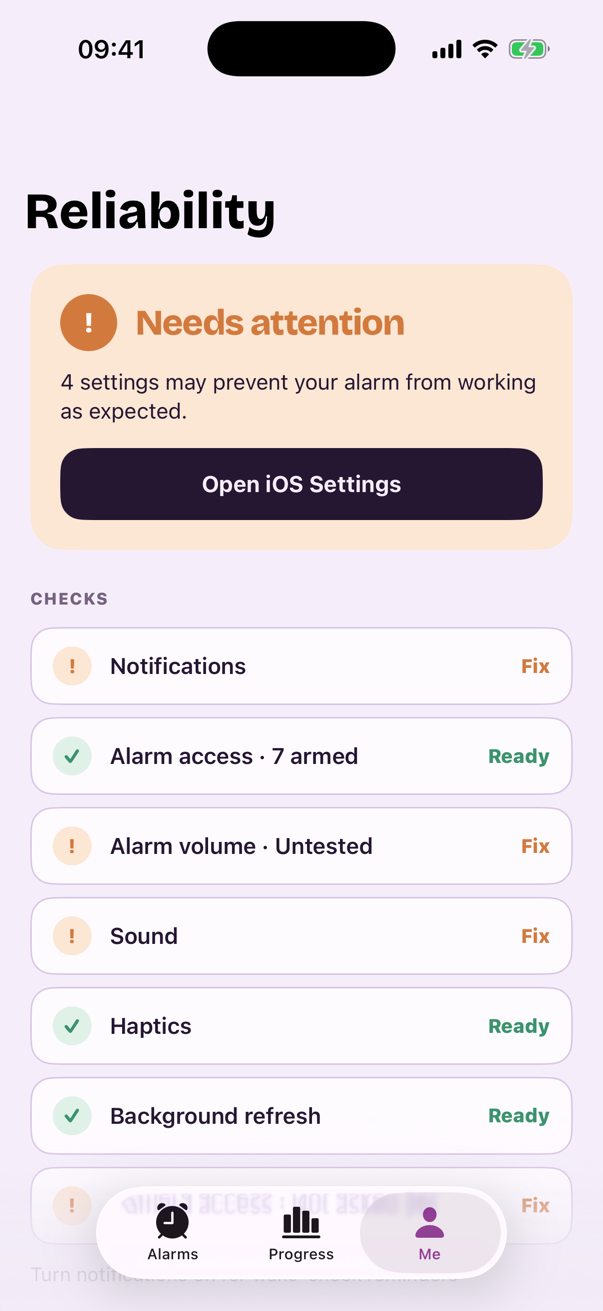
Trust tomorrow morning
Reliability Center checks the iPhone settings that can affect the next alarm and tells you exactly what needs attention.
Choose your sound, too. Daybreak, marimba, music box, and piano tones make the alarm familiar without making setup complicated.
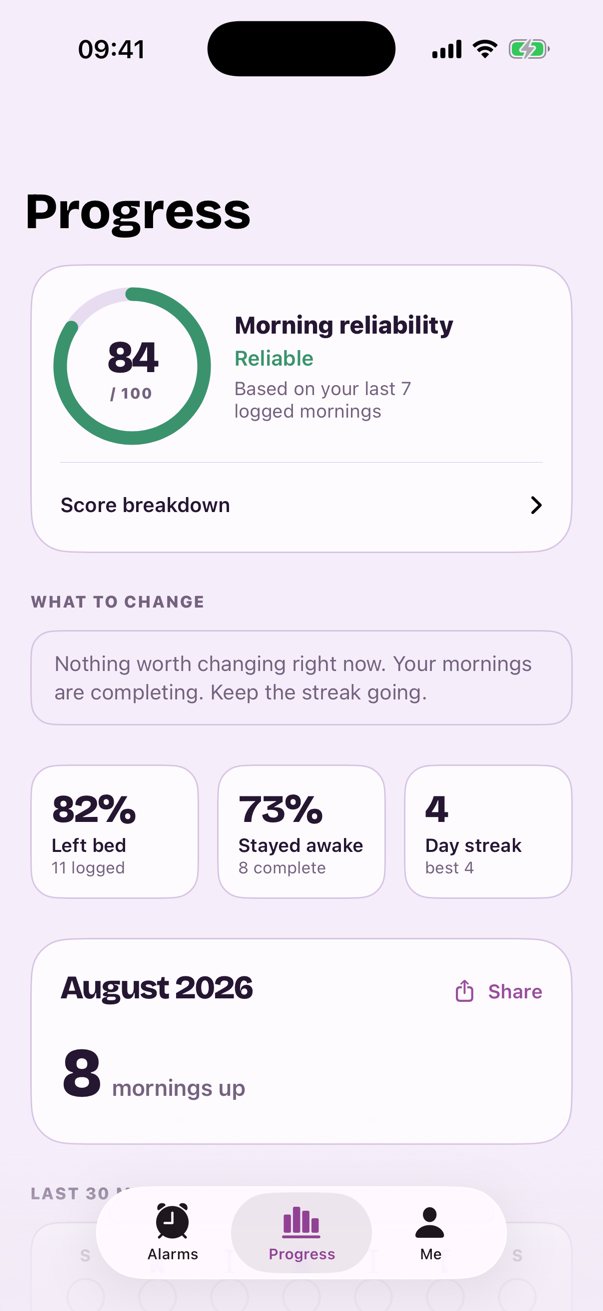
Progress + Monthly Recap
Albori tracks the outcomes that matter: whether you finished, left bed, stayed awake, and met your target time.
Example data shown from the in-app demo record. Your recap is calculated from your own logged mornings.
A trial with no mystery
Albori is a subscription app. Weekly includes a 3-day free trial for eligible customers. Annual has no trial.
Everything unlocks. Your first alarm can be armed.
Albori reminds you the trial ends tomorrow.
First charge: $3.99 per week unless you cancel first.
3-day free trial for eligible customers
About $0.77 a week. No trial on this plan.
Prices shown in US dollars. The App Store shows the exact local price, renewal date, and total before confirmation. Subscriptions renew automatically unless cancelled at least 24 hours before the current period ends.

Coming to the App Store
Set one alarm. Pick one verified task. Give your half-asleep self a better way forward.
Questions, answered plainly
Go deeper
Tomorrow starts tonight
One alarm. One verified task. One morning that actually begins.
Get Albori for iPhoneWeekly has a 3-day free trial · Annual has no trial